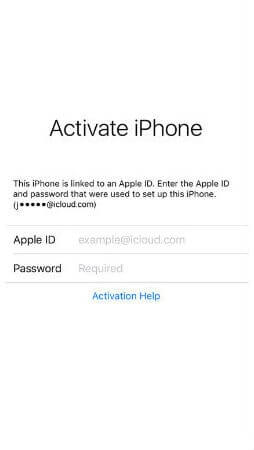
iCloud Spider Officially and Permanently Unlock, Bypass & Remove iCloud Activation Lock on your iPhone 11 Pro / 11 Pro Max, 12 / 12 Mini, 12 Pro / 12 Pro Max, 13 / 13 Mini, 13 Pro / 13 Pro Max, 14 / 14 Plus, 14 Pro / 14 Pro Max, 11, 11 Pro, X, 8, 8 Plus, 7 Plus, 7, 6S Plus, 6S, 6, SE, 5S, 5C, 5, 4S, 4 and all iPad 4,3,2 Air, Pro and iWatch Versions.
iCloud Spider can be used to remove iCloud Lock permanently from your device without the fear of being locked again.
No matter who is previous owner of the iPhone, iCloud Spider will just disable "Fiand My Phone" feature from the device.

iCloud Spider use built-in proxies and private servers and data enctyption to unlock your device so you no traces are left.
You can easily update your device's iOS version without any problem after unloking it with the iCloud Spider.
With iCloud Spider you have the flexibility to unlock your device either via USB or by using your phone IMEI number.
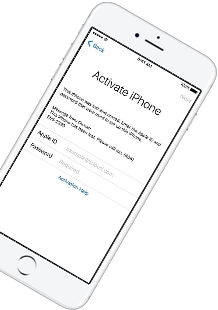
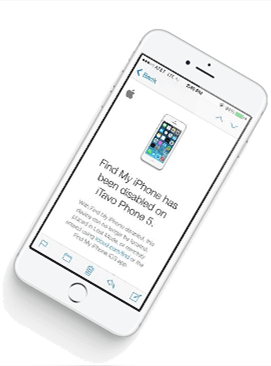
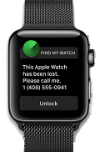

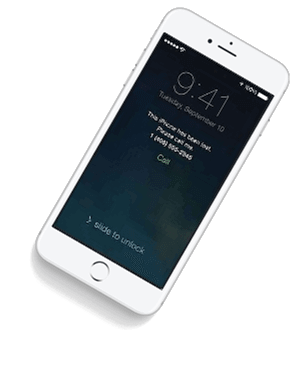


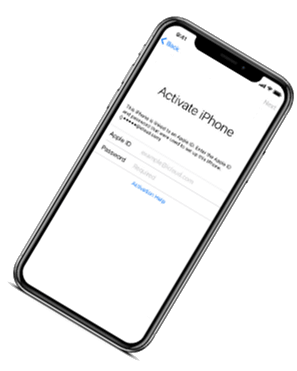

If you have forgotten your apple id or you bought a used iPhone from ebay/walmart and the original owner has enabled "Find My Phone" feature accidentally or purposely and you don't know how to contact him or unlock your device then you are on right place.
iCloud Spider will not only help you to unlock your iPhone but it will also remove any icloud activation lock (e.g. Find My Phone) from your device forever.
Unlocking iPhone made easy with iCloud Spider. You don't have to install iCloud Spider on your PC to unlock your iPhone/iPad. Read the instructions below to learn how to use our icloud unlock software.
Download & run iCloud Spider on your PC. (You can unlock just one device by IMEI in free version of iCloud Spider)
Connect your locked iphone/ipad to your pc via usb or type your phone's imei in iCloud Spider and hit the "Unlock This Device" button.
iCloud Spider will permanently unlock your locked iphone/ipad in just few minutes depending on your internet speed.
iCloud Spider is multi-devices & multi-OS supported. You can download & use IS(iCloud Spider) on Windows and MAC. iOS and Android version will be added soon.
Use iCloud Spider Web-based Tool: Click Here
Use Online FRP Lock Removal App: Click Here
See the working of our icloud unlocker tool below. It's easy to unlock any iPhone/iPad within seconds.
Unlock any iCloud locked device with the ease of our iCloud activation lock removal software at very affordable prices.
Grand Theft Auto V stores its game data—everything from vehicle models to weapon textures—inside special .rpf files. Think of these as encrypted, zipped folders. Rockstar uses a proprietary encryption method to keep these archives secure and to prevent unauthorized tampering.
Identify the exact file name causing the error (e.g., x64c.rpf ). Search for that file on a reputable modding site. Download the clean file.
The launcher will detect the missing file and download a clean copy [3]. 4. Reinstall OpenIV/ASI Loader
This method requires some technical expertise and can potentially cause issues if not done correctly.
A message should appear indicating the file has been successfully fixed or re-encrypted. Versions for "Enhanced" Edition For the newer GTA V Enhanced Edition
These are the "first aid" steps. If you are dealing with a simple corruption (even without mods) or just want to start fresh, try these before moving to complex tools.
Click the three horizontal dots next to GTA V ➔ Select ➔ Click Verify Files. Rockstar Games Launcher
This article provides a comprehensive guide to understanding why occur and how to fix them, ranging from simple file verification to manual RPF file troubleshooting. What Causes GTA V Archive Errors?
Are you getting the "Corrupt Game Data" message or seeing archive errors while loading? Before you consider a full 100GB+ reinstall, try these steps to verify and repair your game files. 1. Verify Game Integrity (The #1 Fix) Most "archive" errors are caused by a single corrupted
Grand Theft Auto V stores its game data—everything from vehicle models to weapon textures—inside special .rpf files. Think of these as encrypted, zipped folders. Rockstar uses a proprietary encryption method to keep these archives secure and to prevent unauthorized tampering.
Identify the exact file name causing the error (e.g., x64c.rpf ). Search for that file on a reputable modding site. Download the clean file.
The launcher will detect the missing file and download a clean copy [3]. 4. Reinstall OpenIV/ASI Loader
This method requires some technical expertise and can potentially cause issues if not done correctly.
A message should appear indicating the file has been successfully fixed or re-encrypted. Versions for "Enhanced" Edition For the newer GTA V Enhanced Edition
These are the "first aid" steps. If you are dealing with a simple corruption (even without mods) or just want to start fresh, try these before moving to complex tools.
Click the three horizontal dots next to GTA V ➔ Select ➔ Click Verify Files. Rockstar Games Launcher
This article provides a comprehensive guide to understanding why occur and how to fix them, ranging from simple file verification to manual RPF file troubleshooting. What Causes GTA V Archive Errors?
Are you getting the "Corrupt Game Data" message or seeing archive errors while loading? Before you consider a full 100GB+ reinstall, try these steps to verify and repair your game files. 1. Verify Game Integrity (The #1 Fix) Most "archive" errors are caused by a single corrupted
Our developers have now added support for iPad Pro 11.5". So download the latest version of IS to enjoy this feature...
Our developers have now added support for iPad Pro 11.5". So download the latest version of iCloud Spider... gta v archive fix
Good News! Android & iOS versions of the iCloud Spider are in beta testing and will be available for free to our existing customers. Grand Theft Auto V stores its game data—everything
Here's the complete list of 25 great hidden iOS 12 features available for your iPhone, iPad and iPod touch. Identify the exact file name causing the error (e